OpenCart
Topics covered on this page
Accept payments through Omise on your OpenCart-based online store. No programming is required.
Supported Versions
Supports OpenCart 2.0.3.1.
Can't find your version of OpenCart? Please contact support.
Supported Payment Methods
- Credit and Debit Cards
- Internet Banking
- OCBC Digital
Do you need a payment method that is not currently supported? Please contact support.
Installation
- Download and extract the latest release.
- Merge the contents of the extracted
srcfolder with those of the root folder of your OpenCart site.
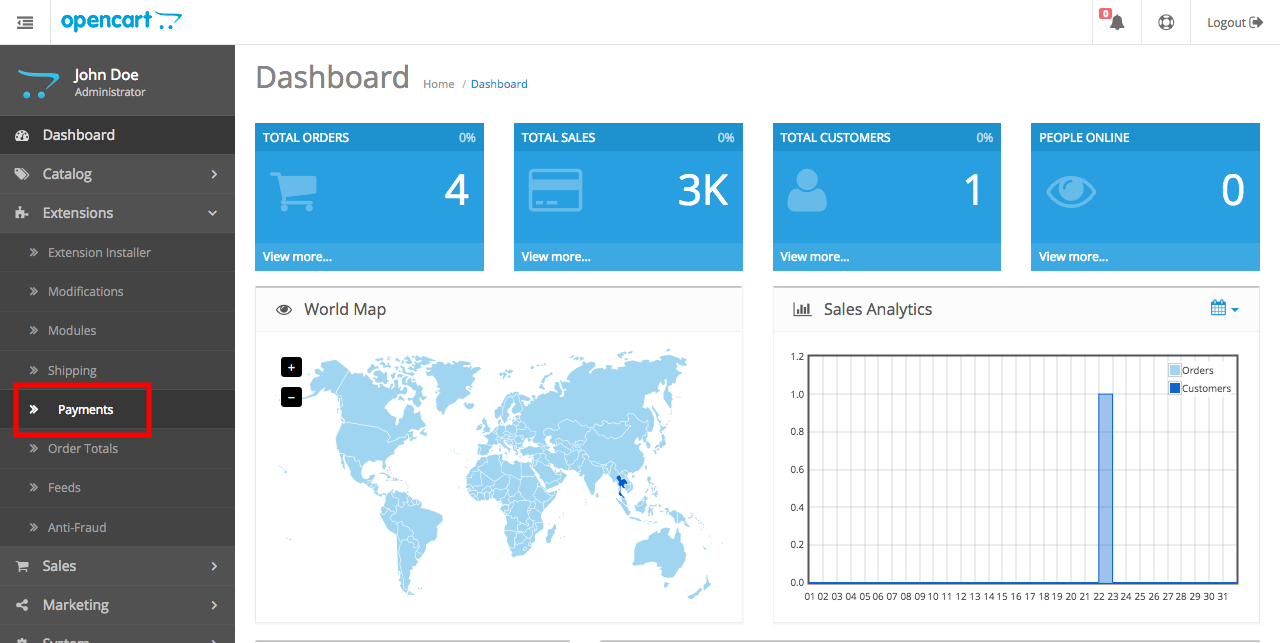
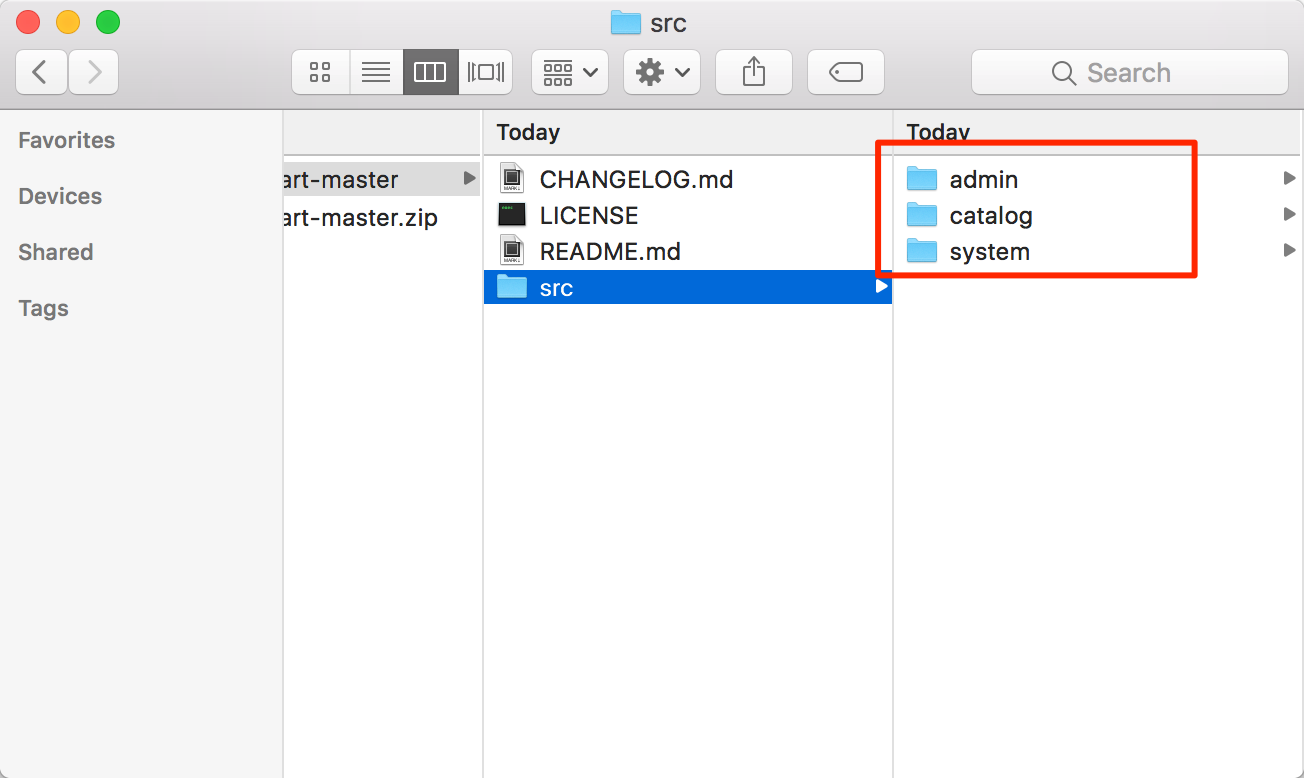 3. Login to your OpenCart admin panel. Go to Extensions > Payments.
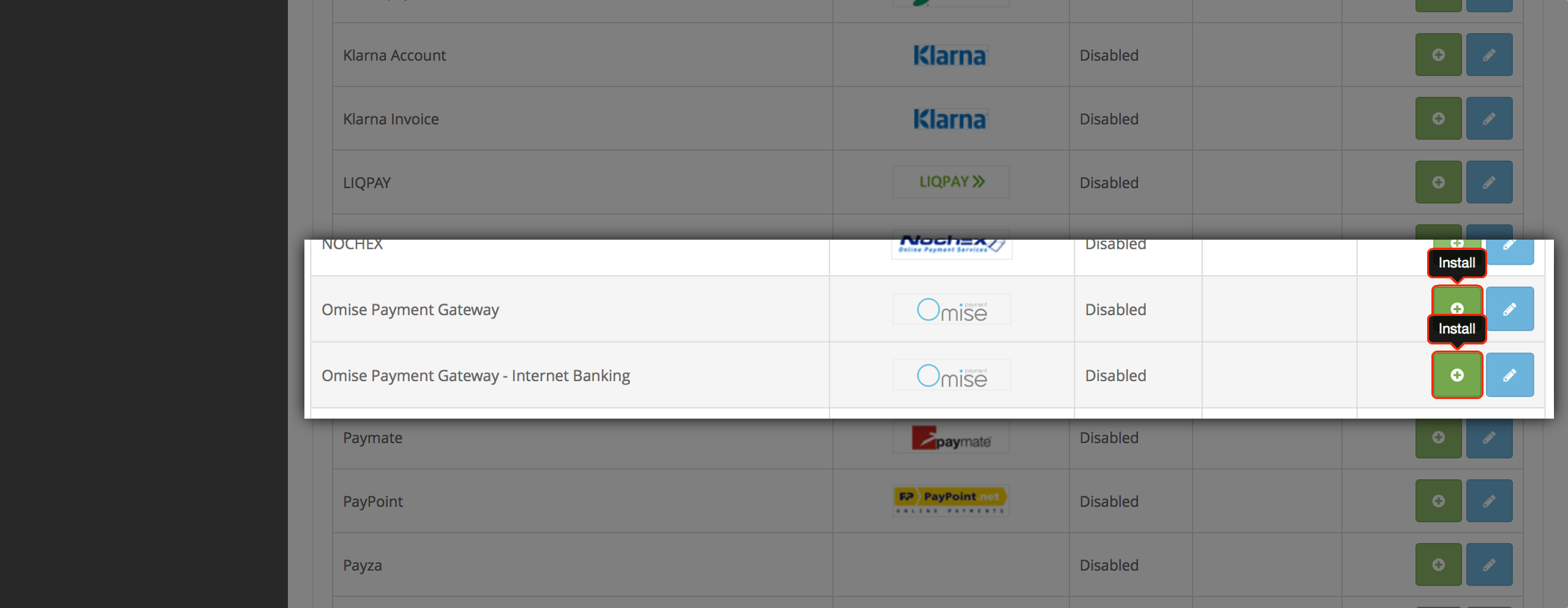
- Look for Omise Payment Gateway and Omise Payment Gateway - Internet Banking, and click green plus sign buttons on both extensions to install them.
Note: Ensure you have permission to write to the OpenCart folder on your server.
Configuration
Connect your Omise account and enable your preferred payment methods.
This enables your customers to make payments on your store through Omise.
In your OpenCart admin interface:
- Go to Extensions > Payments.
- Look for Omise Payment Gateway (supports credit and debit card payments) and click the blue pencil sign button to configure the extension.
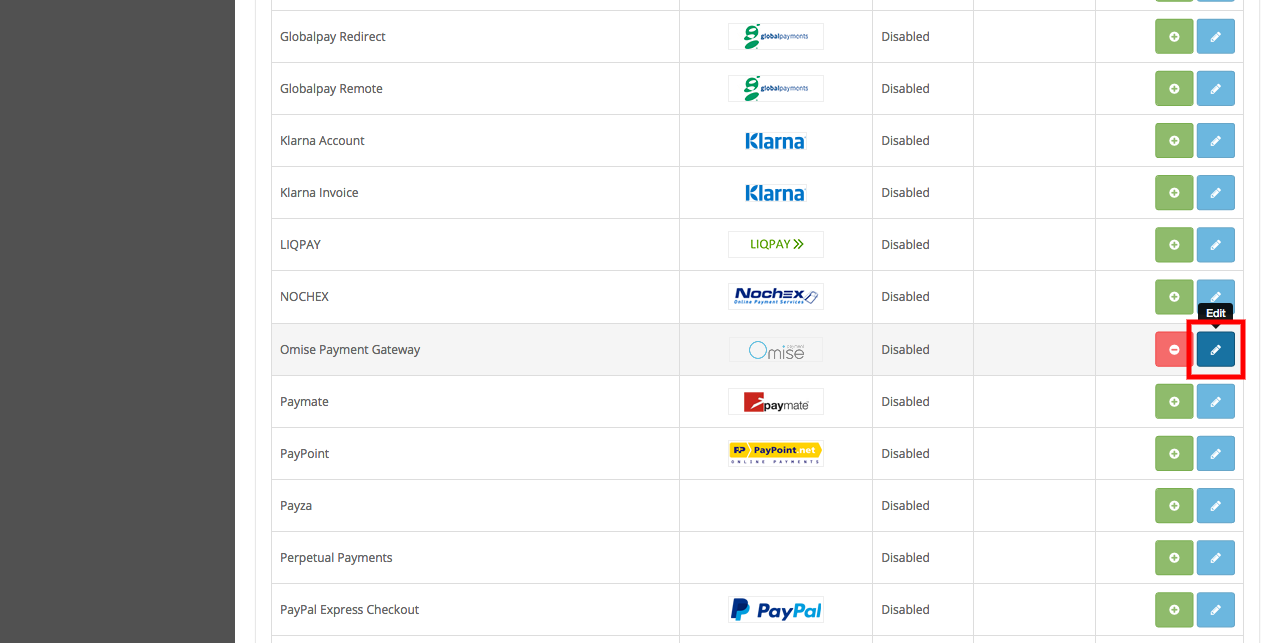
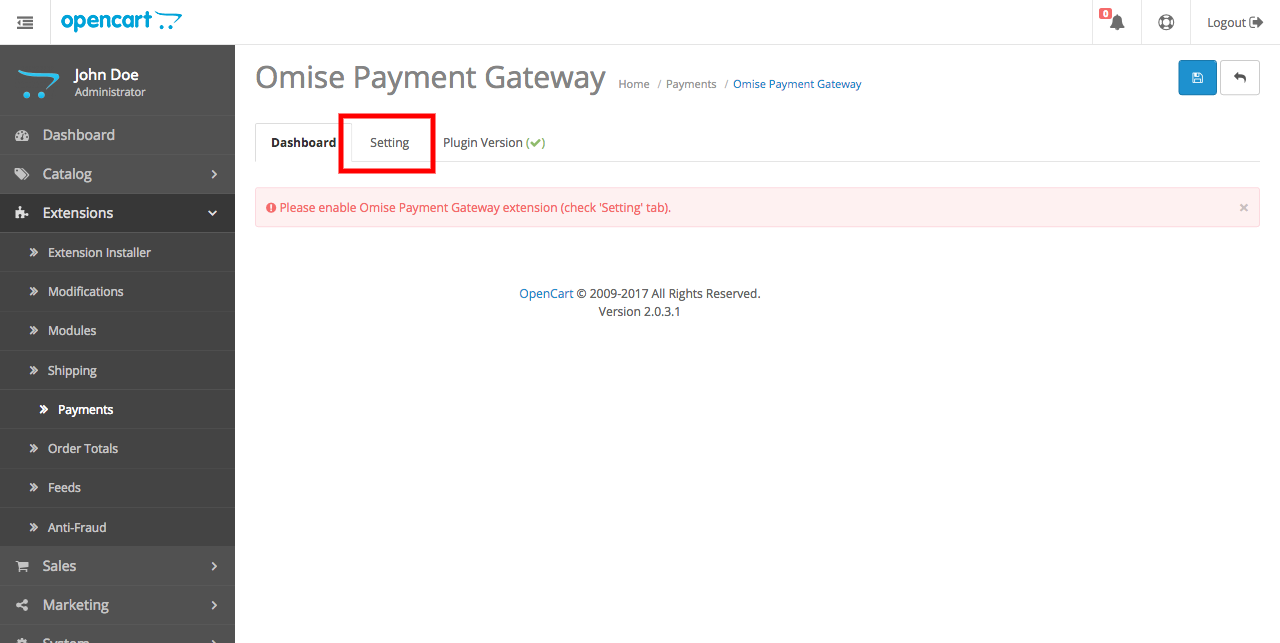
- The system will display the Omise Payment Gateway dashboard page. Go to the Setting page.
- Configure your plugin by entering your public and secret keys.
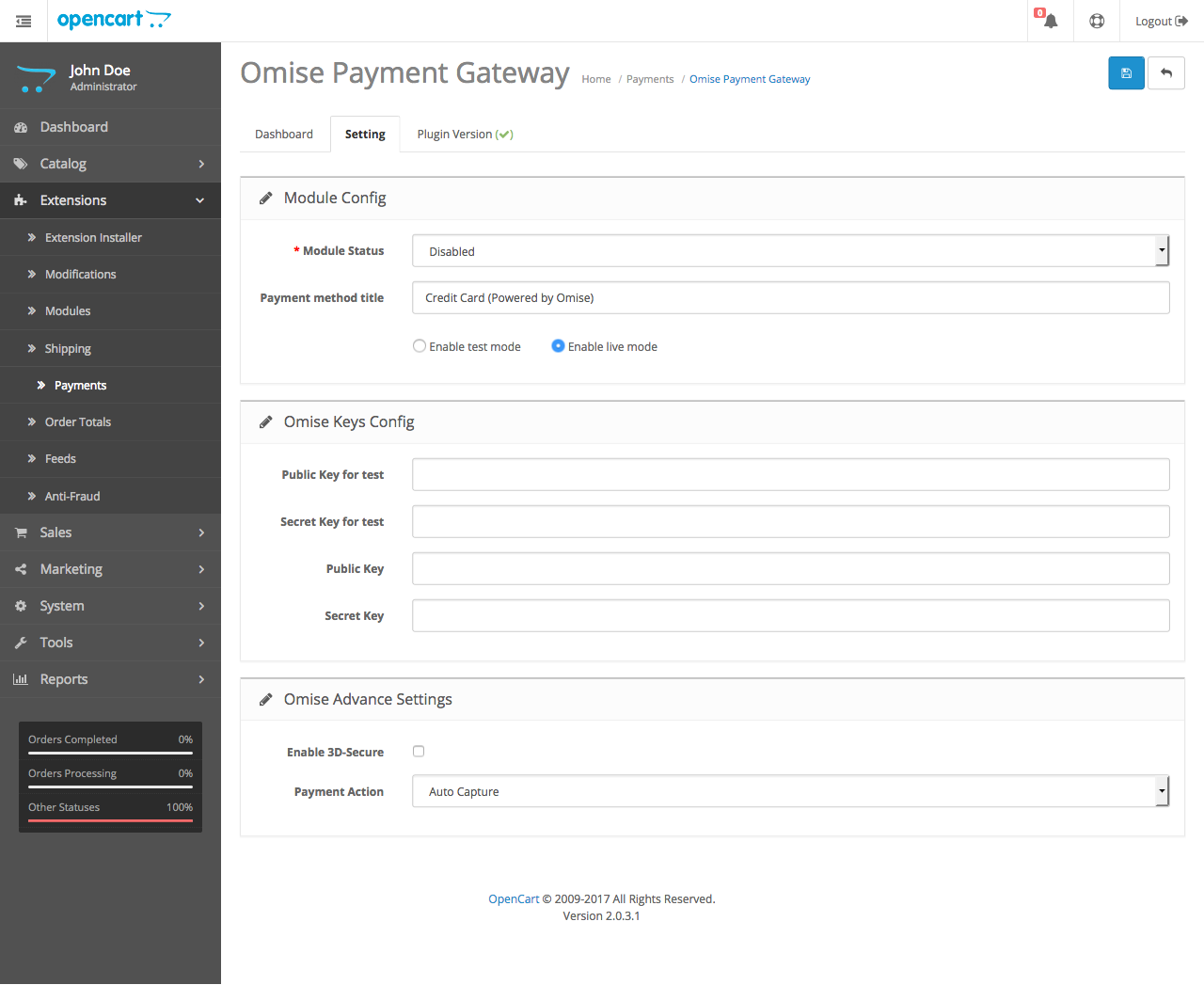
Note: These steps are for credit and debit card payments.
Repeat to enable and configure other payment methods (e.g., Internet Banking).